The Oyster Card is a contactless payment card for public transport in London, managed by Transport for London (TfL). To manage your card online, you must use the Oyster Card login through your TfL online account. After signing in, you can check your Oyster balance, view travel history, manage auto top-up, and request refunds.
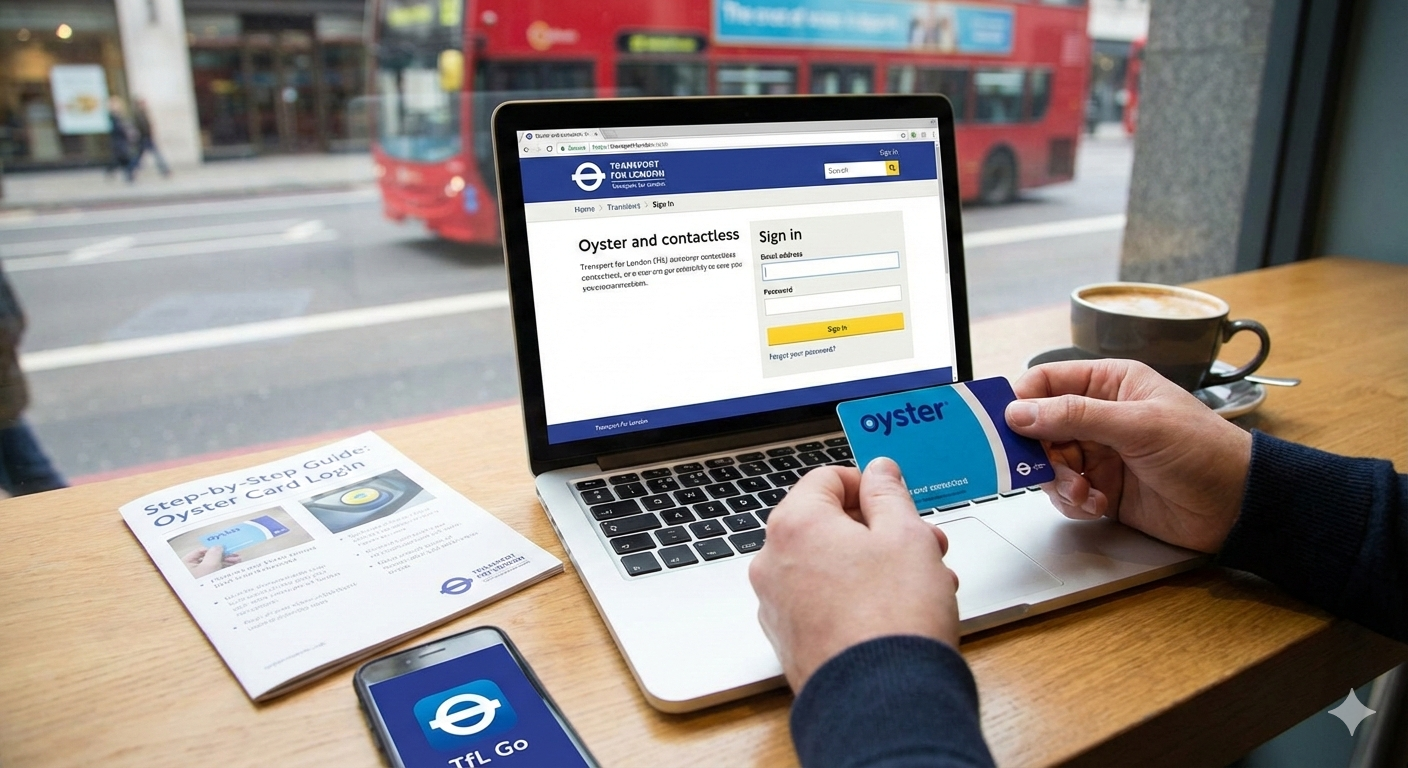
The TfL Oyster Card login page works for services including London Underground, London Buses, DLR, London Overground, Tramlink, and most National Rail services within London fare zones. Whether you use pay as you go or a season ticket, logging in helps you manage payments securely and avoid travel issues.
What Is an Oyster Card?
An Oyster Card is a reusable contactless smart card used to pay for public transport in London, provided by Transport for London (TfL). It allows travelers to pay as they go by adding money to the card and touching it on a reader when entering or leaving transport services.
The Oyster Card can be used on London Underground, London Buses, DLR, London Overground, Trams, Elizabeth line, River Bus services, and most National Rail services within London fare zones. It is a popular choice for both residents and visitors because it is easy to use, secure, and often cheaper than buying paper tickets.
Do Visitors Really Need an Oyster Card Account?
If you are visiting London, creating an Oyster Card account is usually not necessary. Many travelers use a standard Oyster Card or simply a contactless debit or credit card to pay for travel on London Underground, London Buses, DLR, London Overground, Elizabeth line, Tramlink, and most National Rail services. While an account allows you to check your balance, view journey history, or top up online, visitors can easily buy or top up a card at stations upon arrival.
Accessing a TfL Oyster account from outside the UK may be restricted due to security checks or IP limitations. In practice, visitors can manage travel without an online account, using machines at Heathrow Airport, major tube stations, or mobile payment options like Apple Pay or Google Pay, which offer the same fares and daily caps as an Oyster Card. Creating an account is optional and mostly benefits long-term users or UK residents.
How to Log In to Your Oyster Card Account from the UK
Oyster Card Login – How to Access Your Account
To access your Oyster Card account, visit the official Transport for London (TfL) website and use the Oyster Card login page. Enter your registered email and password to sign in. Once logged in, you can check your balance, view journey history, top up your card, manage auto top-up settings, and update payment or personal details. This works for both standard Oyster Cards and Visitor Oyster Cards, giving residents and visitors full control of their travel accounts.
Securely manage your TfL account, check balance, and top up online.
Official Login PageStep-by-Step Process
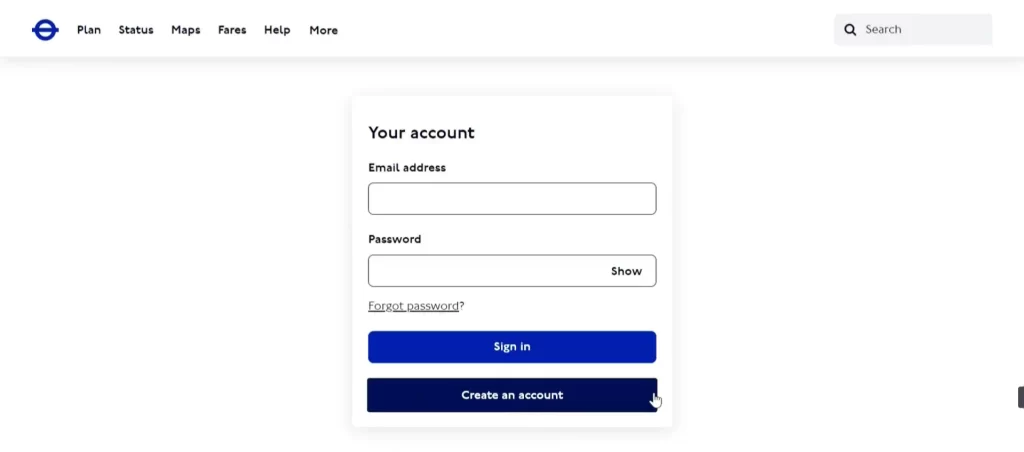
- Go to the official TfL Oyster Card login page
- Enter your registered email address
- Enter your password
- Click Sign in
- Complete any security verification if prompted
- Access your Oyster Card account dashboard to manage travel and payments
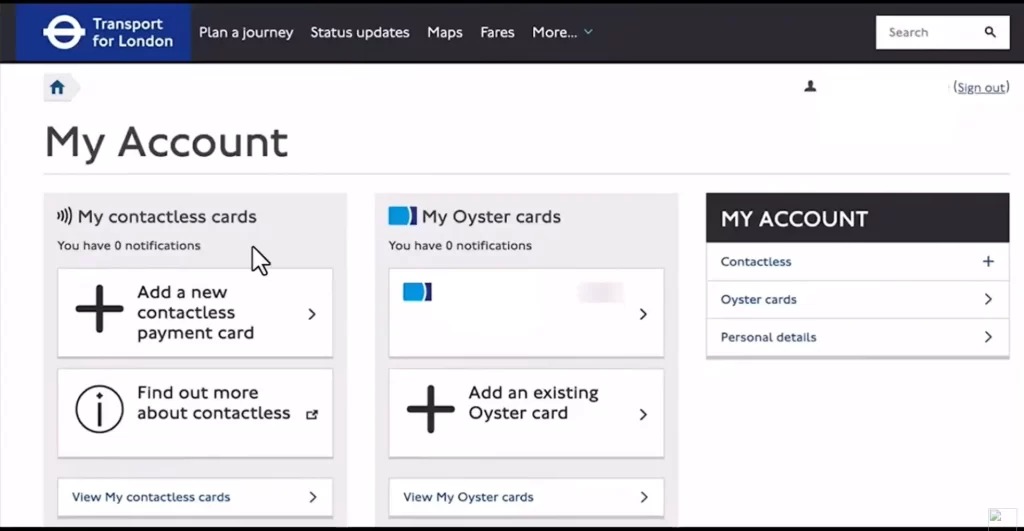
If login fails, ensure your email matches the one linked to your Oyster Card, your browser supports HTTPS, and your connection is secure.
I am sharing a YouTube video link. This is not my official channel; I am sharing it for informational purposes only.
Troubleshooting Oyster Card Login – What to Do If Sign-In Fails
If you cannot log in to your Oyster Card account, it is usually due to incorrect email or password, security checks, or browser issues. Visitors outside the UK may also face access restrictions because TfL limits logins from non-UK IP addresses. Don’t worry—most login issues are easy to fix.
Steps to Resolve Oyster Card Login Problems
- Double-check that you are using the email linked to your Oyster Card.
- Reset your password using the “Forgot password?” option on the login page.
- Make sure your browser supports secure HTTPS connections and clear cache/cookies if needed.
- If accessing from abroad, consider using a VPN set to a UK location to bypass regional restrictions.
- For mobile users, try logging in via the TfL app, which offers the same account features.
- Contact Transport for London customer service if the problem persists.
Following these steps ensures you can securely access your Oyster Card account to check balances, manage auto top-up, or view journey history, whether you are a UK resident or a visitor.
Key Features of Oyster Cards
- Registration and Protection – Register your Oyster Card online or at TfL stations to protect against loss or theft.
- Online Account Management – Check balance, view journey history, manage auto top-up, and buy Travelcards through your TfL account.
- Wide Availability – Purchase Oyster Cards at London Underground and Overground ticket machines, selected National Rail stations, Travel Information Centres, and through the TfL website or app.
- Visitor Oyster Cards – Special cards for tourists available internationally via Visit Britain or transport operators; note these cannot be registered.
- Travel Tracking – See recent journeys, last top-ups, and get regular Oyster Travel Statements via email.
- Flexible Payments – Top up online, at machines, or at Oyster Ticket Stops; supports Travelcards, pay-as-you-go credit, and auto top-up.
- Journey History – Registered cards keep up to eight weeks of travel history, helping both residents and visitors track travel and spending.
- Secure Transactions – All online and in-app management uses TfL secure systems, ensuring safe travel payments.
How to Top Up Your Oyster Card
Keeping your Oyster Card balance topped up is important for smooth travel across London Underground, London Buses, DLR, London Overground, Tramlink, Elizabeth line, and most National Rail services. You can add credit or Travelcards using multiple easy methods.
Ways to Top Up Your Oyster Card
- Online via TfL Website – Log in to your TfL Oyster account to add pay-as-you-go credit or buy Travelcards. You can also set up auto top-up, so your card refills automatically when the balance is low.
- At Station Machines – Use ticket machines at London Underground, Overground, and selected National Rail stations. These machines accept cash, debit, or credit cards for pay-as-you-go credit or Travelcards.
- TfL Mobile App – The official TfL app lets you top up your Oyster Card, check your balance, view journey history, and manage auto top-up easily.
- Auto Top-Up Setup – Register your card online or in the app to automatically add funds when your balance falls below a set limit. This prevents travel interruptions and keeps your card ready for all trips.
Topping up your Oyster Card is fast, secure, and works for both residents and visitors in London, giving you full control over your travel expenses.
Fare Capping on Oyster Cards and Contactless Payments
Fare capping limits how much you pay for all your journeys in one day or week when using an Oyster Card or a contactless debit/credit card to pay as you go across London Underground, London Buses, DLR, London Overground, Tramlink, Elizabeth line, and most National Rail services. Daily and weekly caps ensure you never pay more than the maximum fare for the zones you travel in.
What Are Daily and Weekly Caps?
- Daily Cap: Covers all pay-as-you-go journeys from 04:30 one day to 04:29 the next day. Once reached, any extra journeys within the same zones are free.
- Weekly Cap: Applies from Monday to Sunday. You won’t pay more than a 7-day Travelcard price for adult pay-as-you-go travel in your chosen zones.
How Fare Caps Work
- Caps are tracked by logging each journey, including: zones traveled, touch-in/out times, and fares paid.
- You must touch in and out for all journeys (except buses and trams, which only require touch in). Missing a touch may prevent the cap from applying, and you could be charged the maximum fare.
- Travel with multiple cards or devices in a day or week will not combine for the cap.
Example Fares
- Zones 1-2: £8.90 daily, £44.70 weekly
- Zones 1-3: £10.50 daily, £52.50 weekly
- Bus and Tram Only: £1.75 per trip, £5.25 daily, £24.70 weekly
Travel outside capped zones requires additional fare. For example, if you reach the Zone 1-2 daily cap and then travel to Zone 3, you’ll pay the difference, and the new cap will apply for Zones 1-3.
Fare Corrections
- Daily caps are calculated at the end of the travel day (04:29), and weekly caps are finalized at the end of Sunday.
- Oyster Card adjustments are applied the next time you touch in. Journey history updates may take up to 48 hours to reflect final fares.
By understanding Oyster Card fare caps, both residents and visitors can save money, avoid overpaying, and travel efficiently across London’s public transport network.
Oyster Card vs Contactless: Paying for London Public Transport
When travelling in London, you can pay for public transport using an Oyster Card, a contactless debit or credit card, or cash. Cash fares are the most expensive and are not accepted on some services, so the two best options are Oyster and contactless. Both work on London Underground, London Buses, DLR, London Overground, Tramlink, Elizabeth line, River Bus, and most National Rail services. Contactless payments also support mobile wallets like Apple Pay and Google Pay.
Oyster Cards are preloaded smart cards that can be topped up online, at stations, or via the TfL app. They support daily and weekly fare caps, travelcards, and discounts for children or eligible London residents. Contactless cards link directly to your bank, requiring no top-up, and automatically apply the same fare caps as Oyster. The main limits for contactless are foreign card fees and lack of concession support. For most visitors, if your card is UK-issued and you don’t need discounts, using contactless is easier, faster, and often cheaper than managing an Oyster Card.
Tips for Smooth Oyster Card Login in the Future
- Use Your Registered Email – Always sign in with the email linked to your Oyster Card.
- Keep Your Password Secure – Create a strong password and update it regularly.
- Enable Auto Top-Up – Set it in your TfL account so your card always has credit.
- Use Supported Devices and Browsers – Ensure HTTPS and cookies are enabled.
- Check Connection Security – Avoid public Wi-Fi; use secure networks.
- Use the TfL App – More reliable on the go and has full login features.
- Avoid Multiple Cards/Devices – Fare caps and history tracking work only on the same card/device.
- Use a VPN – Needed if accessing from outside the UK.
- Check Journey History – Review fares and balances; allow 48 hours for updates.
- Contact TfL Support – Reach out early to avoid account lockouts.
Frequently Asked Questions About Oyster Card Login
How do I check my Oyster card balance online?
You can check your Oyster card balance online by visiting the official Transport for London (TfL) website. Log in to your account, select “Journey History”, and view your balance along with details of past journeys. You can also adjust the dates to see specific trips and charges, making it easy to track spending and top up your card online.
Is it worth getting an Oyster card as a tourist in London?
For most tourists, using an Oyster card in London may not offer significant benefits because contactless payment cards are widely accepted and often more convenient. As London’s transport system evolves, Oyster cards may eventually be phased out, making contactless debit or credit cards the preferred option for visitors.
Can I check my Oyster card history online?
Yes. If you are a registered Oyster or contactless payment card user, you can log in to your TfL online account to view your journey and payment history. Oyster card history is typically stored for 8 to 9 weeks after use, allowing you to track trips and charges conveniently.
Can I apply for an Oyster card online?
Yes. If you live in the UK, you can apply for an Oyster card online through a TfL contactless and Oyster account. Alternatively, Oyster cards are also available at Oyster Ticket Stops in London newsagents, and at all Tube stations, most London Overground, and most Elizabeth line stations.
How long is an Oyster card valid for?
An Oyster card never expires. Any credit on the card remains until you use it. When the balance runs out, you can easily top up your Oyster card online, at stations, or at Oyster Ticket Stops and continue using it.
Is £200 enough for 3 days in London?
Yes. A budget of £200 for 3 days can cover food, sightseeing, and local transport if you plan carefully. Many London museums are free, pints cost around £7, and staying in Zone 1–2 keeps Tube travel affordable. This budget works best for moderate spending and central sightseeing.
Conclusion – Oyster Card Login
The Oyster Card London is a simple, secure, and cost-effective way to travel across London Underground, buses, DLR, Overground, Tramlink, Elizabeth line, and National Rail services. It supports pay-as-you-go travel, fare capping, and easy top-ups online, at stations, or via the TfL app, making it ideal for daily commuting and sightseeing.
For tourists, contactless debit or credit cards can also be used, but the Oyster Card offers journey tracking, flexible payments, and affordable travel. It remains a reliable choice for residents and visitors, helping plan trips across London landmarks, airports, museums, and central zones efficiently.
