Oyster Card Check Balance is very important if you use public transport in London. A low balance can interrupt your journey, cause delays, or create unnecessary stress while travelling.
This detailed guide explains all the official and easy ways to check your Oyster card balance, step by step, in clear and simple English. Whether you are a daily commuter, student, tourist, or occasional traveller, this guide will help you manage your Oyster card with confidence and travel smoothly across London.
What Is an Oyster Card?
An Oyster card is a smart and reusable travel card used across London to pay for public transport with ease. Similar in size to a credit card, it works on London buses, the Underground (Tube), trams, DLR, London Overground, and selected National Rail services. Instead of buying paper tickets for every trip, passengers simply tap the Oyster card on a reader at the start and end of their journey, making travel faster, more affordable, and more convenient throughout the city.
The most widely used version is the pay-as-you-go Oyster card, which lets users add credit and pay only for the journeys they take. The system automatically charges the correct fare each time the card is used. There is no expiry date, and any unused balance remains on the card until it is spent. This makes the Oyster card a practical and cost-effective choice for tourists, students, and daily commuters travelling around London.
Why Checking Your Oyster Card Balance Matters
Before we explain how to check your balance, it’s important to understand why balance checking is necessary:
- Avoid being stopped at station gates
- Prevent travel interruptions on buses or trains
- Manage daily or weekly travel expenses
- Plan top-ups in advance
- Track spending history
- Useful for students and tourists on budget
Regularly checking your Oyster card balance ensures smooth and stress-free travel.
How to Check Oyster Card Balance – All Official Methods
There are four official and reliable ways to check your Oyster card balance. Each method is explained below in detail.
1. Oyster Card Balance Check by Tapping on a Reader

This is the quickest and easiest method.
How it works:
- Tap your Oyster card on a yellow Oyster reader
- The small LCD screen above the reader will show:
- Remaining balance
- Fare deducted (if applicable)
Where you can do this:
- On buses
- At Tube station gates
- At train station entry points
Best for:
- Daily commuters
- Quick balance check on the go
- No internet needed
This method is perfect if you just want a fast answer while traveling.
2. Check Oyster Card Balance at a Ticket Machine
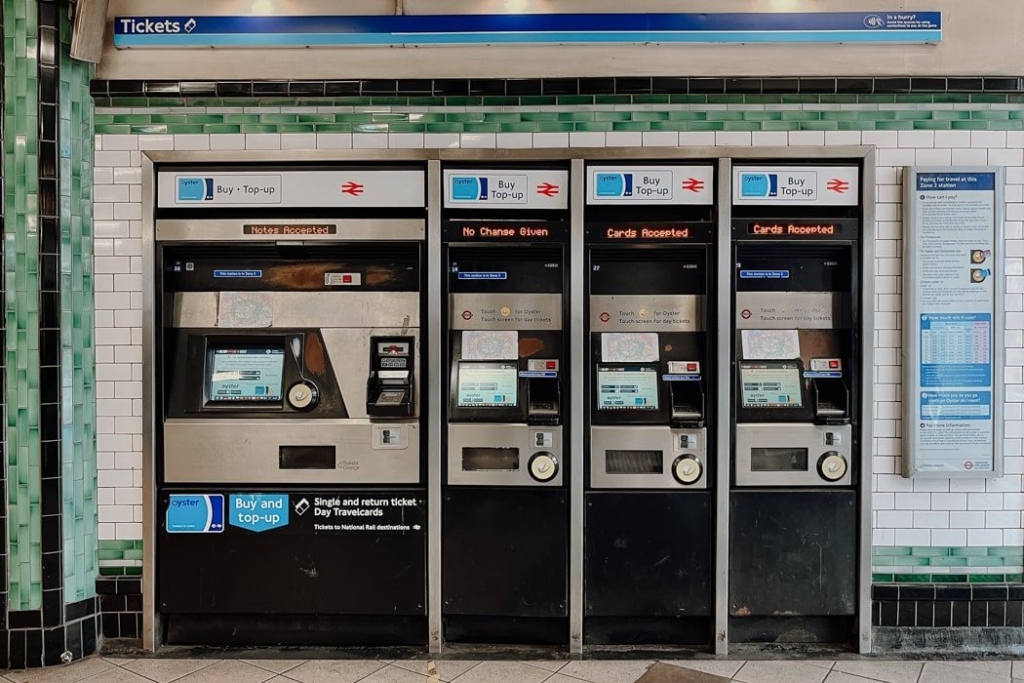
Another reliable method is using self-service ticket machines inside stations.
Steps:
- Go to a Tube or train station
- Find a self-service ticket machine
- Touch your Oyster card on the yellow reader
- Your balance will appear on the screen
You can also:
- Top up your card
- Check recent journeys
- Add travelcards
Advantages:
- Large screen and clear display
- No account required
- Ideal for tourists
This is a great option if you want more details than a quick tap.
3. Oyster Card Balance Check Online (Official Website)
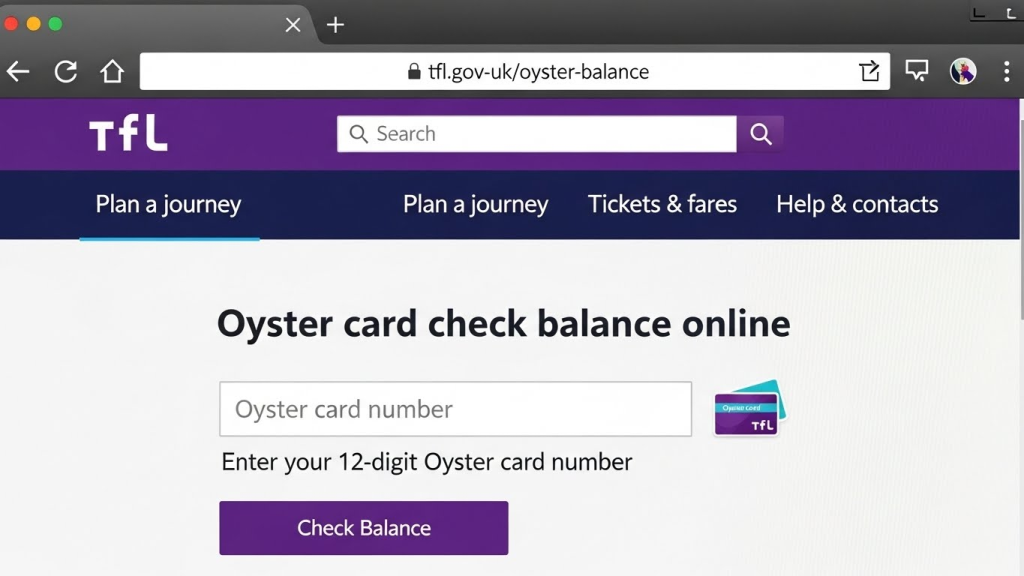
You can also check your Oyster card balance online by registering your card.
Important note:
Only standard blue Oyster cards can be registered.
Visitor Oyster cards cannot be registered online.
How to check balance online:
- Create an account
- Add your Oyster card number
- Log in to your account
- Balance will show at the top of the dashboard
Benefits:
- View balance anytime
- Check journey history
- Manage auto top-up
- Secure and reliable
This method is best for users who want full control and tracking of their travel expenses.
4. Check Oyster Card Balance Using the Official Mobile App

The most convenient and modern method is using the official mobile application by Transport for London.
What you can do with the app:
- Check Oyster card balance
- View recent travel history
- Manage top-ups
- Link multiple cards
How it works:
- Download the app
- Sign in or create an account
- Enter your Oyster card number
- Balance appears instantly
Best for:
- Smartphone users
- Students and professionals
- Regular travelers
This method saves time and allows you to check your balance anytime, anywhere.
Sharing this YouTube video for informational purposes only – this is NOT my official channel. Watch and learn!
Visitor Oyster Card Balance Check
If you are using a Visitor Oyster card, your options are limited.
What you can do:
- Check balance by tapping on readers
- Use ticket machines
What you cannot do:
- Register online
- Use mobile app for balance checking
Visitor Oyster cards are designed for short-term use and simple travel.
Who Should Use an Oyster Card?
An Oyster card is suitable for almost everyone travelling in London:
- Tourists who want simple and affordable transport
- Students commuting daily to colleges and universities
- Office workers travelling during peak and off-peak hours
- Occasional travelers who don’t want monthly passes
It removes the need to calculate fares manually and helps control travel spending.
Can You Check Oyster Card Balance Without Registering?
Yes, you can.
You do not need to register your Oyster card if you use:
- Oyster readers
- Ticket machines
Registration is only required for online and app-based balance checking.
Common Problems While Checking Oyster Card Balance
Here are some common issues and solutions:
Balance not showing on reader
- Try another reader
- Make sure card is placed flat
Online balance not updated
- Online balance updates after card is used
- Tap card at a station to sync data
Card not working
- Card may be damaged
- Ask station staff for help
Key Benefits of Using an Oyster Card
Using an Oyster card offers several practical benefits that make everyday travel in London easier and more affordable.
- Lower fares than paper tickets on most journeys
- Daily fare cap, so you never pay more than the maximum limit
- Quick tap-in and tap-out, saving time at gates and buses
- No expiry date, your balance stays safe until used
- Easy top-ups, online, via app, or at stations
- Accepted across multiple transport services in one card
These benefits make the Oyster card a smart choice for both short visits and long-term travel.
if You Want to Order Your Oyster card click here
Tips to Manage Oyster Card Balance Better
- Always keep a minimum balance
- Enable auto top-up if possible
- Check balance before long journeys
- Use app for tracking expenses
- Avoid last-minute top-ups
Good balance management saves time and avoids travel stress.
Oyster Card vs Contactless – Balance Difference
| Feature | Oyster Card | Contactless |
|---|---|---|
| Balance checking | Yes | Bank dependent |
| Travel history | Available | Limited |
| Best for | Regular users | Occasional users |
| Control | High | Medium |
Oyster cards offer more control and transparency when it comes to balance checking.
Frequently Asked Questions
What is a Visitor Oyster card and how does it work?
A Visitor Oyster card is a prepaid travel card for London. You load credit and use it to pay for transport as you go. You can top up when needed.
When is it cheaper to travel with an Oyster card?
Off-peak times are cheaper for Tube, DLR, London Overground, and National Rail.
Peak hours: Mon–Fri, 6:30–9:30am & 4–7pm.
Bus and tram fares are always £1.75, with the Hopper fare allowing unlimited journeys within 1 hour.
Can I check my Oyster card history online?
Yes. If you are a registered Oyster or contactless payment card user, you can log in to your TfL online account to view your journey and payment history. Oyster card history is typically stored for 8 to 9 weeks after use, allowing you to track trips and charges conveniently.
What happens if my Oyster card runs out of credit?
You can top up at:
Ticket machines in Tube, DLR, Overground, and some National Rail stations
Oyster Ticket Stops
TfL Visitor Centres and London Overground ticket offices
TfL Oyster app (balance check, top-up, and travelcards)
Which Oyster card should I buy?
Visitor Oyster card: Ideal for tourists, prepaid, and offers discounts on river buses and cable cars.
Regular Oyster card: Better for UK residents or long-term users, can be registered online and topped up anytime.
Conclusion
Oyster Card Check Balance is simple, fast, and essential for anyone travelling in London. Whether you choose to check your balance online, via the TFL app, at a ticket machine, or by tapping on a yellow reader, staying aware of your card’s balance ensures smooth, stress-free journeys every time.
By regularly checking your Oyster card balance, you can avoid travel delays, save money, and make the most of London’s public transport network. It’s the easiest way to stay in control of your travel expenses, whether you’re a tourist exploring the city, a student commuting daily, or a professional on the go.
You May like this:
