Topping up an Oyster card in London is simple and convenient, with multiple options available for every type of traveler. Whether you want to top up an Oyster card online on the TfL website, use the TfL mobile app for Oyster card top-ups (Recharge), activate Auto top-up to avoid running out of balance, or add credit at an Oyster Ticket Stop or London Underground ticket machine, the process is quick and user-friendly.
In this How to Top-Up an Oyster Card and Where You Can Use It – Complete Guide 2026, you will learn the easiest way to add credit to an Oyster card, understand where Oyster cards are accepted across London, and discover helpful tips for pay-as-you-go travel on buses, tubes, trams, and trains. This clear and beginner-friendly guide is ideal for tourists, daily commuters, and first-time London travelers who want a
Topping Up Pay-As-You-Go Credit on Your Oyster Card
Adding pay-as-you-go credit to your Oyster card in London is quick and easy. UK residents can top up an Oyster card online using a contactless and Oyster account, or use the free TfL Go app to add credit anytime from their mobile phone.
If you prefer to top up in person, you can add money to your Oyster card at Oyster Ticket Stops in local newsagents, or at ticket machines in Tube, London Overground, most Elizabeth line, and National Rail stations. You can also top up an Oyster card at selected DLR stations, TfL Visitor Centres, and the Tramlink Shop in Croydon, making it convenient to travel across London without running out of balance.
How to Top-Up Your Oyster Card: Step-by-Step Guide
Keeping your Oyster card topped up ensures smooth travel across London’s buses, trains, trams, and the Underground. Here’s how you can add credit easily and conveniently:
1) Add Credit at an Oyster Ticket Stop
Oyster Ticket Stops are local shops, usually newsagents, that display a blue Oyster sticker in their window. There are thousands across London, making it easy to top up in person.
How to do it:
- Take your Oyster card to the counter and ask the staff to add credit.
- They can also check your current balance for you.
- You can add any amount from £10 to £50 in £5 increments. The card’s maximum balance is £90.
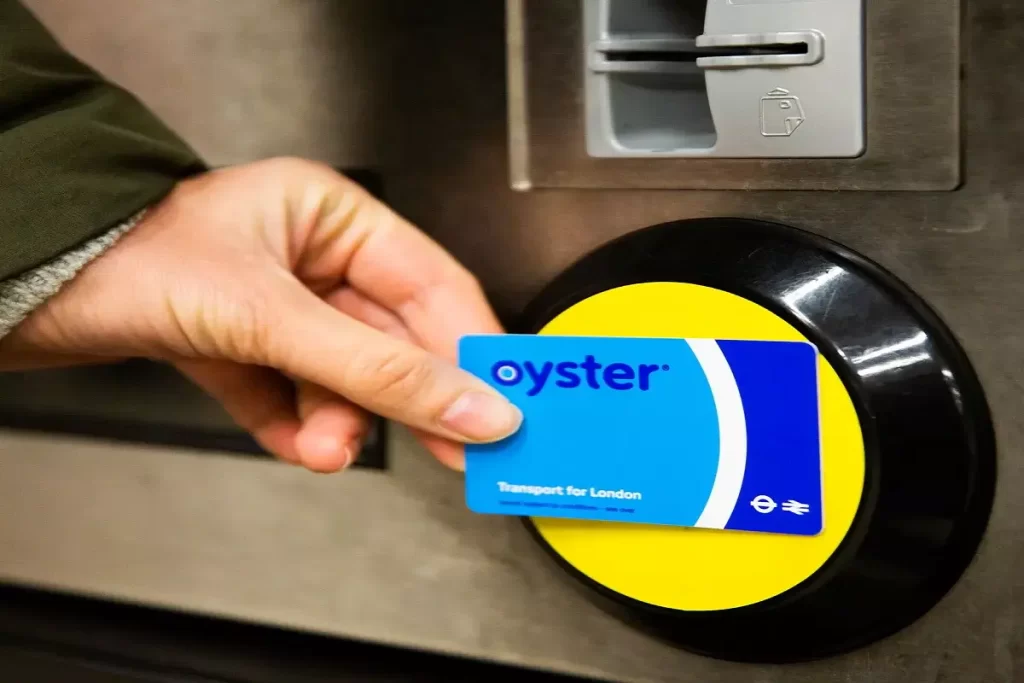
Find Ticket Stops:
- Check the TfL Oyster Ticket Stop map: tfl.gov.uk/maps/oyster-ticket-stops
- Or visit a TfL Visitor Centre at Heathrow (Terminals 2&3), King’s Cross St. Pancras, Liverpool Street, Piccadilly Circus, or Victoria for in-person assistance.
2) Top-Up at a Tube Station Ticket Machine
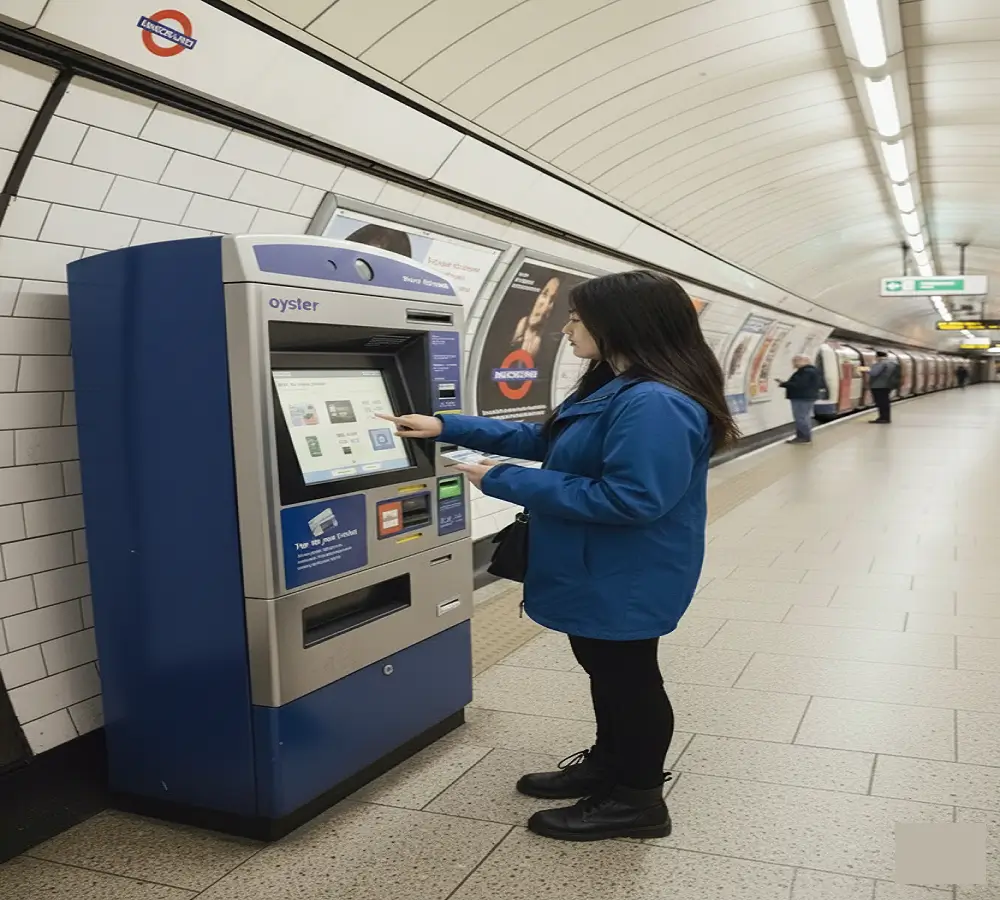
Most London Underground stations have self-service ticket machines where you can add credit using cash or a card. Not all machines take cash, so check the top label: it will say either “Card Payments” or “Cash and Card Payments.”
Steps:
- Tap your Oyster card on the yellow reader under the screen to see your balance.
- Select “Add top-up” and pick the amount.
- Insert cash or card and enter your PIN if paying by card.
- Tap your card again to complete the transaction.
- Your new balance will appear on the screen, and you can choose to print a receipt.
3) Top-Up Online via the TfL Website
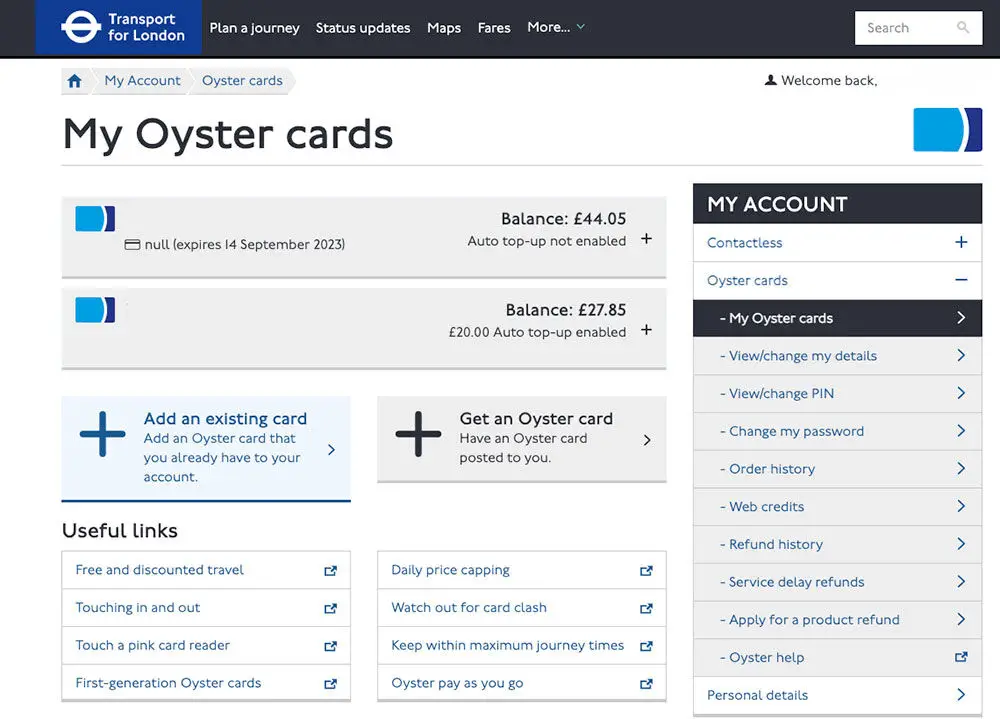
If you have a regular Oyster card, you can manage your balance online. Visitor Oyster cards cannot be registered online.
Steps:
- Log in to your TfL Oyster account.
- Select “Top up or buy season ticket” and choose “Pay as you go.”
- Pick an amount between £5 and £50 in £5 increments.
- Your balance will usually update within 30 minutes, and you can tap your card at any bus, train, tram, or river bus to use the new credit.
4) Use the TfL Mobile App
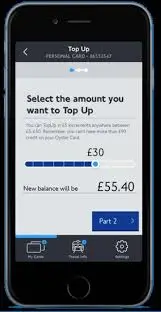
The TfL Oyster app allows you to top up your card quickly from your smartphone.
How to use it:
- Download the app from Google Play or the Apple App Store.
- Create a TfL account (if you don’t have one) and enter your Oyster card number.
- Select “Top up” and choose an amount between £10 and £50.
- Pay using a debit or credit card, and your card will be ready to use.
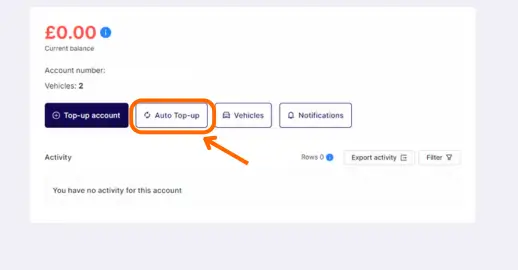
5) Enable Auto Top-Up for Hassle-Free Travel
For a completely automated option, you can set up Auto top-up so your card always has enough credit.
Steps:
- Register your Oyster card online and go to “Manage auto top-up.”
- Enter your bank details and select how much you want to add automatically when your balance drops below £20. Options are £10, £20, or £40.
- Each time your balance is low, the system will automatically top up, and you’ll hear extra beeps when starting a journey to confirm the top-up.
This video is not from my official channel. It is shared for informational or entertainment purposes only.
Where You Can Use Your Oyster Card
Your Oyster card in London is the easiest way to travel around the city without cash, offering flexible pay-as-you-go travel across multiple transport options. With an Oyster card, you can enjoy fast and convenient journeys on London’s public transport network.
You can use your Oyster card for pay-as-you-go travel on:
- London buses with Oyster card payment – Tap in and out for hassle-free bus journeys anywhere in the city.
- London Underground (Tube) travel with Oyster card – Access all Tube lines for quick and easy commuting.
- South London Tramlink using Oyster card – Simple tap-and-go access on the tram network.
- Docklands Light Railway (DLR) Oyster card travel – Reach key destinations like Canary Wharf and Greenwich.
- London Overground Oyster card travel – Connect outer boroughs with central London efficiently.
- Elizabeth line journeys with Oyster card – Fast cross-city travel using pay-as-you-go credit.
- IFS Cloud Cable Car Oyster payment – Enjoy aerial views of London while traveling across the Thames.
- Thames Clippers River Bus services with Oyster card – Convenient river travel for sightseeing or commuting.
- National Rail services within London Zones 1–9 using Oyster card – Includes some services extending beyond Zone 9.
Additional benefits
- Oyster card daily capping ensures you never spend more than a set amount, saving money for frequent travelers.
- You can combine multiple transport modes in a single journey, including buses, Tube, trains, trams, and river services.
- Using an Oyster card reduces waiting time at ticket counters and speeds up travel with simple tap-in and tap-out access.
With the Oyster card London travel system, you have a versatile, cost-effective, and convenient way to explore the city, perfect for tourists, commuters, and first-time visitors alike.
Why You Need to Recharge Your Oyster Card?
Recharging your Oyster card for pay-as-you-go travel in London ensures you can move around the city without interruptions. Whether you’re a tourist exploring central London or a commuter traveling across multiple zones, keeping your card loaded with credit allows for smooth journeys on buses, Tube, Tramlink, DLR, Overground, Elizabeth line, Thames Clippers River Bus, and the IFS Cloud Cable Car.
If your Visitor Oyster card has leftover balance, you can claim a refund of up to £10 at Tube station ticket machines, TfL Visitor Centres, or online through the Visitor Oyster refund portal. By recharging your card, you stay prepared for efficient, flexible, and cost-effective travel across London without worrying about running out of credit.
How to Manage Your Travel Spending with an Oyster Card
You can easily keep track of your travel costs by setting up a contactless and Oyster account or by downloading the TfL Go app. These tools let you top up pay-as-you-go credit, monitor your journey history, view all payments, and manage your Oyster card conveniently from your computer or smartphone.
When using contactless payment, your bank statement may show transactions labeled as:
- Travel charges – the fares for your journeys
- Travel refunds – money returned for adjustments or cancellations
- Unpaid fares – trips that haven’t been fully paid
For more information or to manage your account, visit: tfl.gov.uk/cp
The Benefits of Keeping Your Oyster Card Topped Up
- Keeping your Oyster card topped up ensures easy and hassle-free travel across London.
- With sufficient balance, you can tap and go on:
- London Underground (Tube)
- TfL buses
- London Trams
- Most National Rail services within London zones
- Avoid the frustration of failed gates or interrupted journeys.
- Cost savings compared to traditional paper tickets:
- Pay-as-you-go fares are cheaper.
- Daily price capping ensures you never pay more than a Day Travelcard, regardless of the number of trips.
- Perfect for both daily commuters and tourists exploring London.
- Keeping your card ready to tap is the most convenient and cost-effective way to travel the city.
FAQs About How To Top-Up an Oyster Card And Where to use It
1. How can I add credit to my Oyster card?
Topping up your Oyster card is quick and simple. You can add pay-as-you-go credit at:
Tube stations, DLR, London Overground, Elizabeth line, and most National Rail stations using self-service ticket machines.
Oyster Ticket Stops – over 4,000 local shops and newsagents across London display a blue Oyster sticker to help you find them.
TfL Visitor Centres – located at key locations like Heathrow, King’s Cross, Liverpool Street, Piccadilly Circus, and Victoria.
Tip: Whether you’re a visitor or a regular commuter, topping up ensures you can travel seamlessly across London’s buses, trains, trams, and river services.
2. How can I add credit to my Oyster card?
You can top up your Oyster card:
Online via a contactless and Oyster account (UK residents).
TfL Go app on your smartphone.
Oyster Ticket Stops at local newsagents across London.
Ticket machines at Tube, London Overground, most Elizabeth line, and National Rail stations.
Selected DLR stations.
TfL Visitor Centres at major locations like Heathrow, King’s Cross, Liverpool Street, Piccadilly Circus, and Victoria.
3. On which transport services can I use my Oyster card?
You can use your Oyster card for pay-as-you-go travel on:
London buses
Tube (London Underground)
Tramlink services
Docklands Light Railway (DLR)
London Overground
Most Elizabeth line services
IFS Cloud Cable Car
Thames Clippers River Bus services
4. How much credit do I need on an Oyster card for a 3-day trip in London?
If you plan to travel around central London (Zones 1–2), a daily cap of £8.90 applies for unlimited journeys on buses, Tube, and other services. For three days, a top-up (Recharge) of around £30 will cover most travel within these zones.
For single journeys on premium services like the Gatwick Express or Heathrow Express, it’s recommended to have about £25 set aside for each trip.
Conclusion
The Oyster card is the easiest way to travel around London without cash. You can top up online, with the TfL Go app, at local Ticket Stops, Tube machines, or Visitor Centres, keeping your balance ready for any journey.
It’s accepted on buses, Tube, Tramlink, DLR, Overground, Elizabeth line, Thames Clippers, and the IFS Cloud Cable Car. With Auto top-up and daily fare caps, the Oyster card helps you save money and enjoy stress-free travel across London.
